Advertisements
Did you know that more than 70% of U.S. employers now use digital platforms to manage benefits? Millions of workers log into online benefits portals annually. They use these portals to enroll in health plans, manage HSAs, and check 401(k) links.
This short guide explains practical steps for employees, HR professionals, and benefit administrators in the U.S. It teaches how to log in and navigate the interface. You will also learn to enroll in plans, update personal details, track claims, and secure accounts.
The guide shows how to get the most from employer-sponsored programs. These include health, dental, vision, flexible spending accounts, and voluntary benefits.
Advertisements
Familiar vendors include Workday, ADP, UKG (Ultimate Kronos Group), Paychex, Benefitfocus, and BambooHR. These names help readers understand features common in many portals.
The guide covers compliance typical of U.S. plans and previews each section. Topics include understanding portals, navigating, exploring benefits, managing enrollment, tracking usage, seeking support, maximizing value, securing information, and future trends in benefits software.
Key Takeaways
- An online benefits portal streamlines enrollment and management of employer-sponsored plans.
- Most U.S. employers use employee benefits platforms from vendors like Workday and ADP.
- This guide will show how to log in, navigate, enroll, and update personal information.
- Tracking claims and understanding statements are core tasks supported by benefits management software.
- Security best practices and troubleshooting tips help protect personal and plan data.
Understanding Online Benefits Portals
An online benefits portal is a web- or app-based system employers use for benefits management. It presents, enrolls, and manages employee benefits all in one place. This portal connects to payroll, HRIS systems, and carriers for real-time data.
Users expect clear plan summaries, enrollment deadlines, and document storage within the portal for easy access.
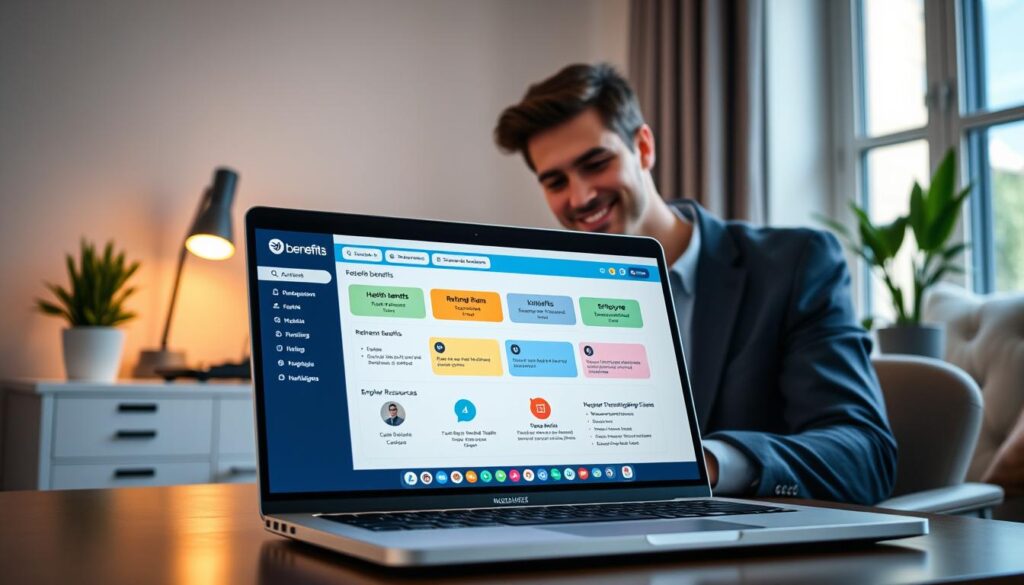
The portal supports benefits enrollment, plan comparisons, eligibility rules, and reporting. Secure access uses single sign-on and multi-factor authentication. Role-based access separates employee views from administrator controls.
What is an Online Benefits Portal?
This system acts as the central hub for benefits administration. It streamlines enrollment, stores plan documents, and generates compliance reports. APIs connect the portal to insurers, payroll vendors, and HR systems for automatic updates.
Different vendors offer various approaches. Workday and Benefitfocus focus on cloud scalability and carrier connectivity. ADP and Paychex provide payroll-integrated bundles simplifying deductions and tax reporting for HR teams.
Importance of Accessing Benefits Online
Employees get 24/7 access, mobile convenience, and faster enrollment with fewer paper forms. Validation rules reduce errors and make plan comparisons easier. Personalized dashboards show digital ID cards, telehealth links, and wellness sign-ups.
Employers benefit from less administrative work, automated deductions, and audit trails supporting ACA and COBRA compliance. Analytics reveal participation trends and spending to guide policy decisions.
| Feature | Employee Benefit | Employer Benefit |
|---|---|---|
| 24/7 Access | Enroll or view plans anytime from mobile or desktop | Fewer enrollment windows, lower HR support volume |
| Enrollment Tools | Side-by-side plan comparisons and eligibility alerts | Improved accuracy and fewer manual corrections |
| Carrier Connectivity | Immediate carrier links for ID cards and claims | Automated feeds to insurers reduce reconciliation work |
| Security | MFA and SSO protect employee data | Role-based access and audit logs support compliance |
| Analytics | Personalized dashboard shows usage and options | Reports on participation and cost trends for budgeting |
| Accessibility | Multi-language support and ADA features aid inclusion | Broader coverage and reduced discrimination risk |
How to Access Your Online Benefits Portal
Access begins with a simple login and a clear path through the interface. The self-service benefits portal makes benefits enrollment and management easy. This guide explains what credentials to gather, how multi-factor authentication works, and what to look for inside the dashboard.

Required Log-In Information
Typical credentials include an employer-provided username or work email, a secure password, and an employee ID. Some companies add a company code for extra verification. When employers use single sign-on, employees sign in with corporate credentials from services like Azure AD or Okta.
MFA is common. Options include SMS codes, authenticator apps such as Google Authenticator or Microsoft Authenticator, and hardware tokens. MFA reduces risk when accessing the portal from new devices.
If a password is forgotten, reset flows usually send a link to the work email or prompt security questions. Account lockout policies vary by employer. HR or IT teams often verify identity using employee ID, date of birth, and recent payroll or hire details.
New hires receive provisioning instructions during onboarding. Enrollment windows open during new-hire or annual periods. Terminated employees may keep access for COBRA enrollment temporarily, based on company policy and benefits vendor timelines.
Navigating the Portal Interface
Most portals have a clear top or side navigation. Users see a dashboard showing benefits summary and upcoming deadlines. Tabs often include enrollments, documents, claims, support, and account settings.
Interactive tools help choose plans. Plan comparison calculators and cost estimators show side-by-side benefit comparisons. Eligibility wizards filter options using marital status, dependents, and employment status. This simplifies enrollment decisions.
Mobile and desktop views differ. Responsive designs adapt menus and content. Mobile apps for iOS and Android offer quick access to ID cards, telehealth, and claims lookup. Desktop versions usually provide fuller comparison tools and printable confirmations.
Locate deadlines and confirmation pages early. Users should save progress during open enrollment or qualifying life events. Most portals provide printable confirmations and email receipts for record keeping.
Exploring Available Benefits
An employee benefits platform often lists every offering in one place. This makes it simple to see what is available and who is eligible. The portal groups core plans, supplemental options, and wellness resources for side-by-side comparison.
Types of Benefits Offered
Typical offerings include medical, dental, and vision insurance. Accounts that lower out-of-pocket costs are also common. Health savings accounts (HSA), flexible spending accounts (FSA), and health reimbursement arrangements (HRA) show contribution rules and employer matches.
Disability coverage includes short- and long-term options. Life and AD&D insurance show policy limits and beneficiary setup. Retirement links, like 401(k) enrollment, detail employer match and vesting schedules.
Commuter benefits, student loan assistance, and voluntary plans such as accident or critical illness insurance are usually optional. The portal shows payroll deduction setup so employees understand the impact on take-home pay.
Eligibility tiers are clear: employee-only, employee + spouse, employee + children, and family. Part-time eligibility and waiting periods are listed per plan. Dependent rules for children, domestic partners, and COBRA continuation appear where applicable.
Overview of Health and Wellness Resources
Portals include telemedicine and virtual care links for quick clinician access. Behavioral health options and employee assistance program (EAP) links provide counseling and crisis support.
Preventive care reminders and fitness reimbursements help employees meet health goals. Smoking cessation, weight management, and other programs are often offered via vendors like Virgin Pulse or Fitbit.
Wellness tracking may sync with wearable platforms such as Apple Health or Garmin. Points-based incentives and company challenges promote engagement. Rewards are displayed inside the digital benefits solution.
Educational content includes plan FAQs, comparison videos, webinars, and downloadable Summary Plan Descriptions (SPDs) and Summary of Benefits and Coverage (SBC) documents. Cost tools like price estimators and provider finders help employees compare charges before care.
Benefits management software ties these elements together. Employees can enroll, track usage, and access resources from one dashboard. Clear labels and searchable content reduce confusion and speed decisions.
Managing Your Benefits
Managing benefits through a self-service portal gives employees control over coverage choices and personal data. The platform simplifies tasks like enrollment and updates. It links with payroll and insurers for accurate deductions and records.
Enrolling in Plans and Programs
To start online benefits enrollment, users select plan tiers and add dependents. They also choose pretax accounts like FSA or HSA. The process asks for coverage start dates and payroll deduction confirmation before submission.
Open enrollment periods let employees make major changes. Qualifying life events, such as marriage or birth, allow mid-year updates. Employers often need documents like marriage certificates or proof of loss to approve changes.
After finishing, the platform shows an enrollment confirmation and a printable statement. The system notifies employers and insurers with effective dates. It also indicates when ID cards will be sent.
Many benefits platforms integrate automatically with payroll and vendors. These links ensure correct deductions and apply retroactive adjustments if needed.
Updating Personal Information
Employees can update their address, phone number, emergency contacts, and dependent info. They can also change beneficiary designations and tax withholding preferences. Keeping info current avoids claim delays and COBRA notice problems.
Changes that affect eligibility, like adding dependents, usually need verification. Common proofs include birth and marriage certificates. Identity checks may be needed for beneficiary edits on retirement accounts.
Timing is important because changes update payroll and insurers on different schedules. The portal shows expected sync timelines. This helps employees know when payroll and carrier records will update.
It’s important to keep beneficiaries current for 401(k) plans and life insurance. Use linked retirement portals or plan custodians for updates. Regular reviews prevent unintended distributions and protect named beneficiaries if circumstances change.
Tracking Your Benefits Usage
The online benefits portal gives employees a clear view of claims, balances, and statements in one place. It helps people check what has been submitted, what is pending, and what has been paid. This section explains how to read those entries and match them to pay and tax records.
How to Review Claims and Usage
Portals list claims by status: submitted, in process, or processed. Each entry shows billed amounts, amounts applied to deductibles, and the member’s out-of-pocket responsibility. Users can sort by date, provider, or claim type to find charges fast.
When employees have multiple policies, the portal shows coordination of benefits indicators. These labels reveal which carrier is the primary payer and which is secondary. This helps avoid surprise balances and speeds dispute resolution.
Most systems let users open Explanation of Benefits (EOB) documents from the claim line. EOBs explain how insurers paid claims and what members owe. Portals allow users to download or print EOBs for records or reimbursement requests.
Claim posting and processing times vary by insurer. Typical timelines appear on the claim detail page. Benefits management software may flag delayed claims with notes on processing windows and follow-up steps.
Flexible spending accounts and health savings accounts are trackable through the same interface. The portal shows current FSA/HSA balances, recent contributions, and eligible expense lists. Employees can submit reimbursement requests, upload receipts, and track approvals without mailing forms.
Understanding Benefits Statements
Benefits statements and summary pages show year-to-date totals in one place. They list employee contributions, employer contributions for HSAs or retirement, and payroll deduction details. These snapshots help with budgeting and tax planning.
Retirement links often redirect to 401(k) providers like Fidelity or Vanguard. These links give access to investment performance, vesting schedules, and employer match calculations. Employees can compare balances against contribution goals.
Annual summaries for compliance and tax reporting are usually available for download. Examples include Form 1095-C for coverage, HSA Form 1099-SA, and FSA reporting statements. The portal stores prior years for easy retrieval during tax season.
Employees should reconcile portal statements with pay stubs each pay period. If numbers differ, they should contact HR benefits portal support or payroll. Clear records from the portal ease resolving discrepancies and confirming deductions.
Seeking Help and Support
When employees face issues in an HR benefits portal, quick, clear steps help a lot. The section below lists common problems and easy solutions.
It also explains how to contact support and what to prepare before reaching out.
Common Issues and Troubleshooting Tips
- Login failures: try clearing the browser cache, use a supported browser such as Chrome or Edge, or check single sign-on (SSO) status with the employer.
- Missing benefits options: verify eligibility dates and employer enrollment windows in the employee benefits platform before assuming features are unavailable.
- Incorrect dependent listings: confirm dependent documentation is uploaded correctly and that dependent effective dates match enrollment records.
- Payroll deduction errors: review election effective dates, compare recent paystubs, and confirm with payroll or HR if deductions do not match selections in the HR benefits portal.
- Delayed claims posting: confirm the insurer received the claim and check explanation of benefits (EOB) dates; some carriers take longer to post updates.
Stepwise troubleshooting solves many issues without waiting for a call.
- Clear your browser cache or try a supported browser.
- Confirm company code, SSO status, and eligibility dates.
- Verify that required documents uploaded successfully and that file types meet carrier rules.
- Check election effective dates and recent payroll deductions.
- For mobile app issues, update or reinstall the app. Verify app permissions like camera access for receipt uploads. Also, confirm mobile OS compatibility.
How to Contact Customer Support
- In-portal chatbots or live chat offer quick help for simple tasks like password resets.
- HR or the benefits administrator handles payroll, eligibility, and enrollment questions tied to company records.
- Carrier or insurer phone support addresses claim reviews and coverage explanations.
- Email support and help center articles serve for non-urgent questions and written guidance.
Response times depend on the issue and issuer. Password resets are usually immediate.
Enrollment problems typically take 1 to 3 days to resolve. Claims appeals or complex investigations might take longer.
To get faster help, gather proof before calling support. Collect screenshots, confirmation numbers, paystubs, and EOBs.
Note important dates and what steps you took. Also, write down reference numbers, representative names, and promised follow-up deadlines.
To decide whom to contact, remember this tip. Payroll deductions and eligibility usually need HR through the benefits platform.
Coverage details and claim decisions belong to the insurer and work best through carrier support. Clear steps and records help fix issues faster.
Maximizing Your Benefits
Employees get more value when they take a proactive approach to benefits. Using an online benefits portal makes reviewing options easier. Regular small actions save money and reduce surprises during care.
Tips for Utilizing Your Benefits Fully
Begin each open enrollment season by comparing premiums, deductibles, and provider networks. Use cost estimator tools to project yearly expenses. Review your current usage to match coverage to real needs.
Make pretax accounts like FSA and HSA a regular part of your planning. Confirm IRS contribution limits before making changes. Pretax savings lower your taxable income and help manage healthcare spending.
Schedule preventive care to match plan benefits and reduce costs. Always choose in-network providers when possible. Check prior-authorization rules to avoid surprise bills.
Consider voluntary benefits for coverage gaps, such as critical illness plans. Review employer retirement contributions and maximize any available match. Small increases in deferrals can lead to big long-term gains.
Participating in Wellness Programs
Wellness programs can lower premiums and offer incentives for screenings and coaching. Enroll in activities through the employee benefits platform. Track progress in the portal and sync wearables like Fitbit or Apple Health when supported.
Use available EAP services for mental health, legal advice, and financial counseling. Sessions are confidential. Access teletherapy or schedule appointments through the online benefits portal.
Monitor deadlines and required documents to secure incentives or discounts. Keep records of participation and check balances in the benefits solution to ensure credits post promptly.
Keeping Your Information Secure
Protecting personal and financial data in online benefits portals takes clear habits and strong vendor practices.
Readers can learn simple daily steps and standards employers must enforce to keep systems safe.
Best Practices for Online Security
Choose long, unique passwords or passphrases for every account.
Enabling multi-factor authentication adds a key second layer of protection for benefits portal accounts.
Keep devices up to date by installing operating system and browser updates regularly.
Run trusted antivirus software and avoid public Wi-Fi when using benefits management software unless on a corporate VPN.
Check account activity often.
Set alerts for sign-ins, profile changes, and banking edits.
Update recovery contacts and emergency methods on a regular schedule to avoid lockouts.
Expect strong vendor controls.
Employers should require portals to use TLS/HTTPS encryption and follow SOC 2 or ISO 27001 standards.
They must also keep detailed audit logs for compliance.
Employees may request security documents from vendors when needed.
Recognizing Phishing Attempts
Phishing tries to trick users into giving credentials or bank details.
Watch for unexpected messages asking for passwords, poor grammar, mismatched sender addresses, or links not matching the employer’s known portal domain.
Never click suspicious links.
Forward such messages to IT, security, or HR for verification.
Open the benefits portal by using a bookmarked URL or through the company intranet to avoid fake pages.
Be careful with fake renewal notices or bogus premium refunds asking for banking information.
Confirm any refund or payment request through official HR channels before acting.
Enable alerts for unusual activity.
Report suspected fraud to HR and the portal vendor immediately.
Quick reporting helps stop account compromise and supports vendor investigation.
| Risk | User Action | Vendor/Employer Responsibility |
|---|---|---|
| Credential theft | Use long, unique passwords and MFA; change passwords after suspicious logins | Enforce MFA and monitor failed login patterns with automated blocks |
| Phishing emails | Do not click links; forward to IT or HR; access portal via bookmark | Provide phishing training and simulated tests; publish official communication channels |
| Device compromise | Keep OS and browser updated; use antivirus; avoid public Wi‑Fi | Offer guidance on device hygiene and require endpoint security for remote access |
| Unauthorized account changes | Enable alerts for profile and banking edits; review account history monthly | Maintain immutable audit logs and notify users of critical changes |
| Data in transit risks | Verify site uses HTTPS before entering credentials | Implement TLS, strong cipher suites, and regular certificate management |
Future of Online Benefits Portals
As employers and vendors invest in benefits technology, online benefits portals will become more personalized. Platforms like Workday, ADP, and Paylocity are moving toward AI-driven plan suggestions. These suggestions consider usage patterns and life stage.
Telehealth and mental health integrations will grow stronger. This will make scheduling care easier through the same platform used for enrollment.
Trends include stronger interoperability through APIs linking payroll, HRIS, carriers, and wellness providers. This allows seamless data exchange. Mobile-first experiences, chatbots, and virtual assistants will guide enrollment and answer usual questions.
Machine learning will flag anomalies, speed claims processing, and give HR richer analytics. These tools help HR make better decisions within benefits portals.
Regulatory changes will require better consumer data protection and clearer consent management. Employees will see features like real-time cost transparency that shows negotiated rates. They will also get virtual benefits advisors, personalized wellness journeys, and automated savings alerts.
Employers must update vendor SLAs, train HR on new workflows, and prepare communications for each new feature rollout.
When using enhanced benefits portals, employees should review privacy settings and read release notes carefully. They should also ask HR about automated recommendations.
Features like instant ID card issuance, mobile claims submission with OCR, and tighter retirement custodian integration are coming. These offer convenience but need careful implementation and clear policies to protect data and build trust.