Advertisements
Nearly 60% of U.S. households now own at least one smart home device. This shows how quickly connected products became everyday tools.
This smart technology guide helps beginners understand what these devices do and how to use them safely. It covers clear definitions, device categories, setup steps, and brand comparisons like Amazon Alexa, Google Nest, and Apple HomeKit.
Readers will find practical how-to sections with step-by-step instructions. The guide also offers tech tips and tricks for saving time and boosting convenience. It aims at first-time buyers, homeowners, renters, and anyone curious about beginner smart tech.
Advertisements
The content references mainstream devices and real brands. It highlights current trends and explains security best practices. The guide also shows how smart home devices connect with energy, health, and entertainment solutions to simplify daily life.
Key Takeaways
- This guide explains core concepts of smart technology and connected products for beginners.
- It includes setup tips, compatibility advice, and comparisons of leading brands.
- Readers will get practical tech tips and tricks to improve home efficiency and convenience.
- Security and privacy best practices are covered to help protect devices and data.
- The guide links smart devices to energy, health, and entertainment uses for real-world value.
Understanding Smart Technology
The smart technology guide starts by showing what modern devices do and why they matter. Readers learn how connected products go beyond simple electronics. They offer automation, data insights, and seamless control.
This introduction sets the stage for practical details on components, protocols, and real benefits.

What is Smart Technology?
Smart technology means internet-connected devices that collect data, communicate with other devices, and automate tasks. Examples include smart bulbs, voice assistants like Amazon Alexa, fitness trackers like Fitbit, and smart refrigerators from Samsung and LG.
These products differ from traditional electronics because they sense conditions, share information, and adapt over time. The term Internet of Things, or IoT, covers many devices. But not all connected products fit the same use or security models.
How Smart Technology Works
Most smart systems pair sensors and actuators with microcontrollers and firmware to monitor and act. Data flows to cloud services where analytics and automation run. Mobile apps give users remote access while cloud platforms enable updates and integrations.
Common communication protocols include Wi‑Fi, Bluetooth, Zigbee, Z-Wave, and Thread. Hubs and voice assistants such as Google Assistant and Siri often control devices and create routines. This control makes intelligent solutions work together instead of as isolated gadgets.
Benefits of Smart Technology
Smart devices bring convenience through remote control and automated routines. Users can set lighting schedules, trigger scenes, and let devices respond without manual input. Automation corrects the false idea that every gadget needs constant attention.
Energy savings come from tools like the Nest Thermostat, which lowers HVAC costs by learning habits. Security improves with smart locks and cameras from brands such as Ring and Arlo. Health tracking includes wearables and telehealth apps that monitor activity and vitals for better care.
Entertainment grows with smart TVs and streaming devices that tailor content and simplify access. Digital tools and the latest tech trends keep evolving. They bring more seamless interactions and smarter home experiences.
Types of Smart Devices
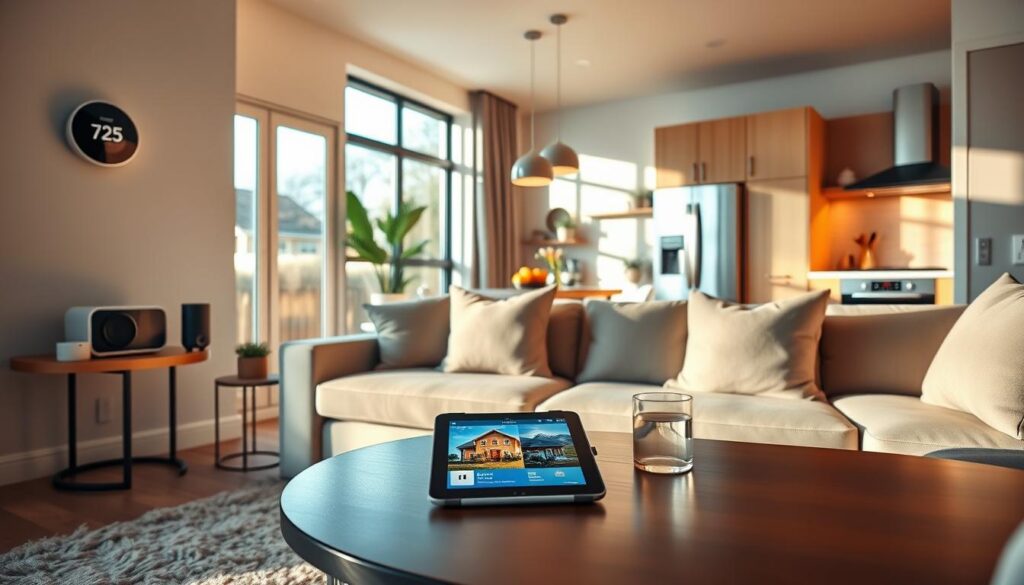
The smart technology guide includes many products. These devices make homes safer, healthier, and more efficient.
This section describes common device categories and highlights leading brands. It also offers tips to evaluate features before buying.
Smart Home Gadgets
Smart bulbs from Philips Hue and LIFX let users schedule lighting scenes. They also allow color changes from a phone.
Smart plugs like TP-Link Kasa turn lamps and appliances into remote-controlled devices. This helps save energy and adds convenience.
Door locks such as August and Schlage Encode offer keyless entry and remote access. They also provide guest codes for short visits.
Security cameras from Ring and Arlo stream live video and send motion alerts. They work with smart home devices for automated responses.
Video doorbells from Ring and Google Nest Doorbell combine two-way audio and motion detection. They help protect packages.
Smart sensors from ecobee and Aqara detect temperature, motion, and open or close events. These sensors trigger scenes or security routines.
Wearable Technology
Wearable technology includes fitness trackers and smartwatches like Apple Watch, Fitbit, and Garmin. These devices track steps, workouts, and sleep.
They sync data to apps on smartphones for easy monitoring. Health-monitoring wearables also measure heart rate and SpO2.
Specialized sleep trackers detect sleep stages and breathing patterns. They improve rest with data-driven suggestions.
Many wearables work with Apple Health and Google Fit to centralize statistics. Users get better health insights this way.
Interoperability is important when choosing a device for in-depth health tracking.
Smart Appliances
Smart refrigerators such as Samsung Family Hub display calendars and stream media. They also allow remote grocery checks.
Smart ovens like June Oven provide camera-based cooking alerts. They include recipe-guided settings for consistent results.
Robot vacuums from iRobot Roomba and Roborock automate cleaning. They report progress through companion apps.
Modern washers and dryers with Wi‑Fi let users start cycles remotely. They send alerts and allow custom wash modes.
Smart thermostats by Google Nest and ecobee offer learning schedules and remote control. They provide energy reports to save money.
Firmware updates and predictive maintenance add long-term value to smart appliances.
When choosing devices, check app quality, subscription models, and warranty terms. Find out if a hub or ecosystem is needed.
A clear tech gadgets review helps buyers compare features, costs, and compatibility before committing.
| Category | Example Brands | Key Features | Considerations |
|---|---|---|---|
| Lighting & Plugs | Philips Hue, LIFX, TP-Link Kasa | Scheduling, color control, remote on/off | Hub needed for some bulbs, app reliability |
| Security | Ring, Arlo, August, Schlage | Live video, motion alerts, keyless entry | Subscription for video storage, privacy settings |
| Wearables | Apple Watch, Fitbit, Garmin | Heart rate, SpO2, sleep tracking, app sync | Battery life, platform compatibility |
| Kitchen & Laundry | Samsung Family Hub, June Oven | Remote monitoring, recipe guides, cycle control | Software updates, integration with smart home devices |
| Cleaning & Climate | iRobot Roomba, Roborock, Google Nest, ecobee | Automated cleaning, learning thermostats, energy reports | Mapping accuracy, subscription features, hub requirements |
Setting Up Your Smart Home
Setting up a smart home starts with clear planning. This guide covers hub choices and device connections. It offers tips on organizing products and choosing smart solutions for real homes.
Choosing the Right Hub
Hubs shape the smart home experience. A dedicated hub like Samsung SmartThings supports Zigbee and Z-Wave, connecting many devices. Voice-platform hubs like Amazon Echo add voice control and easy setup for Alexa routines.
Hubless ecosystems use Apple HomeKit with HomePod or Apple TV for local automation and strong privacy. Each option has trade-offs. Dedicated hubs support many protocols but may cost more upfront.
Voice-platform hubs offer convenience but risk ecosystem lock-in. HomeKit offers local control and privacy but limits device choice. Assess your devices and protocol needs before choosing a hub.
Connecting Devices
Start by securing a stable network. Use 2.4 GHz Wi-Fi for compatible devices. Power on the device, open the app, and follow pairing steps exactly.
Name devices clearly and group them by room. Update firmware right after connecting to fix bugs. For many devices, create a separate guest or IoT network to isolate traffic.
Connect hubs and smart speakers via Ethernet if possible to reduce latency. For larger homes, plan router capacity and consider mesh Wi-Fi for strong coverage.
Label devices in your app and keep an inventory. This makes troubleshooting and future upgrades faster.
Ensuring Compatibility
Check compatibility to avoid problems later. Review manufacturer lists and verify voice assistant support like Alexa or Siri. Look for Matter support, the new standard for cross-platform compatibility.
Matter-certified devices simplify pairing and cut the need for multiple hubs. If a device lacks Matter, check for Zigbee, Z-Wave, or Thread support to match your hub. Test a few devices before full setup to ensure everything works well.
Good network planning helps your smart home run smoothly. Make sure the router handles many devices. Place mesh nodes near device clusters and use wired backhaul for the main hub whenever possible.
These steps improve reliability and help your smart home investment last longer.
Popular Smart Technology Brands
The smart technology guide highlights three top ecosystems shaping home automation today. Each offers unique device support, voice control, privacy, and ease of use. This overview helps readers compare strengths and choose what fits their needs.
Amazon Alexa
Amazon Alexa is known for wide third-party device support and a large Echo hardware lineup. It offers a skills marketplace and flexible routines to automate lights, locks, and speakers. Integration with Philips Hue, Ring, and TP-Link makes device pairing easy.
Subscription services like Amazon Music and Audible add media options to the system. Alexa features privacy controls such as microphone off buttons and voice history management tools. This makes Alexa a top choice for those wanting variety and compatibility.
Google Nest
Google Nest connects deeply with Google services and uses Google Assistant’s smart voice and search. Nest thermostats, cameras, and displays focus on easy setup and energy-saving suggestions powered by machine learning.
Strong third-party support lets users build mixed-device ecosystems. Google Nest is favored by households relying on Google apps who want smart, contextual automation.
Apple HomeKit
Apple HomeKit focuses on privacy and security with end-to-end encryption and strict device reviews. The Home app and Siri offer a smooth experience for iPhone and iPad users. HomePod, Apple TV, and iPad serve as hubs for remote access.
HomeKit’s device catalog is smaller but offers tighter control and predictable behavior. This suits users who value data protection and seamless iOS integration.
| Aspect | Amazon Alexa | Google Nest | Apple HomeKit |
|---|---|---|---|
| Device Availability | Extensive third-party options | Wide, growing partner support | Selective, smaller catalog |
| Voice Assistant | Alexa with skills marketplace | Google Assistant with contextual search | Siri with deep iOS ties |
| Privacy & Security | User controls; voice history options | Google account privacy tools; ML features | Strong encryption; strict vetting |
| Best For | Users wanting broad compatibility | Users tied to Google services | Apple ecosystem and privacy-focused users |
| Notable Partners | Philips Hue, Ring, TP-Link | Various smart device makers | Certified HomeKit manufacturers |
Choosing a smart technology brand depends on your existing devices and privacy needs. Guides and tech gadget reviews can help find the right ecosystem for your home.
Security Concerns with Smart Devices
The smart technology guide must cover security concerns that affect everyday users. Small habits can reduce risk. This short section outlines steps for protecting your privacy, safe usage practices, and common vulnerabilities to watch for.
Protecting Your Privacy
Start by changing default passwords on routers, cameras, and smart speakers. Use unique, strong passwords or a password manager to avoid reuse across accounts.
Enable two-factor authentication when available. Check app permissions and remove access that is not needed. Read privacy policies to see what data a device collects.
Opt out of data-sharing options when possible.
Safe Usage Practices
Segment your network by creating a guest network or IoT VLAN for smart devices. This limits access if one device is hacked.
Keep firmware and companion apps up to date to receive security fixes. Disable remote access features if you don’t need them. Choose reputable brands like Amazon, Google, and Apple.
Audit your devices every few months. Remove unused devices from accounts and factory-reset items before selling or disposing of them.
Common Vulnerabilities
Weak or default credentials are a top risk. Unencrypted communications and outdated firmware make attacks easier. Unsecured cloud services and risky third-party integrations increase exposure.
Past incidents involved routers, IP cameras, and baby monitors. Botnets have used unsecured IoT devices for large attacks. Vendors with clear patch timelines reduce long-term risk.
If you suspect a compromise, disconnect the device from your network, change related passwords, update firmware, and contact the manufacturer for support.
| Risk | Example | Immediate Action |
|---|---|---|
| Weak/default passwords | Camera accessible with admin/admin | Set a strong unique password and enable 2FA |
| Outdated firmware | Router firmware with known exploit | Apply vendor update and reboot device |
| Unencrypted traffic | Smart plug sending plain data | Disable remote access or use VPN |
| Unsecured cloud services | Third-party storage with weak controls | Limit cloud permissions and review logs |
| Insecure integrations | Open API tokens in third-party app | Revoke tokens and audit connected apps |
Integrating Smart Devices
This part of the smart technology guide helps readers bring separate gadgets into a single system. It explains how to create routines, use voice commands, and manage many devices. The advice covers Amazon Alexa, Google Home, and Apple HomeKit. It also mentions Matter, IFTTT, Home Assistant, and SmartThings for deeper control.
Creating routines
Start by planning the routine’s goal. For example, a “Good Morning” scene can raise the Nest thermostat and turn on Philips Hue lights. It might also read the weather on Google Nest Hub.
Use time-based schedules for regular needs. Geofencing can trigger actions when someone arrives or leaves. Sensors like motion or door open can automate lighting or alerts.
In Alexa, use the Routines tab to add triggers and actions. In Google Home, create automations under Routines and link calendar events for reminders. In HomeKit, build automations in the Home app and include sensor triggers.
For cross-platform flows, use IFTTT or Home Assistant. These chain services that native apps don’t support.
Using voice commands
Keep voice phrases short and name devices clearly, such as “Kitchen lights” or “Downstairs Thermostat.” Short commands reduce errors and work well with Amazon, Google, and Apple assistants. Set up voice profiles so the system personalizes responses by speaker.
Train assistants to recognize users and test common phrases in noisy rooms. Consider limits like ambient noise and language settings. Think about the privacy trade-offs when enabling cloud voice processing.
Managing multiple devices
Organize devices by room and use clear naming to reduce confusion. Group similar devices into scenes or rooms inside the app for easier control. Hubs like Samsung SmartThings or Raspberry Pi running Home Assistant centralize management and reduce conflicts.
Keep an inventory of devices in the app and label them clearly. Check device health regularly, update firmware, and combine automations on a single dashboard when possible. This prevents overlapping rules and simplifies troubleshooting in larger setups.
For advanced users, Matter adds cross-platform compatibility that helps integrate brands. Third-party services like IFTTT, Home Assistant, and SmartThings allow custom triggers and more control. Power users can use these for tailored tech tips and tricks.
Smart Energy Solutions
Smart energy solutions help homeowners cut costs and boost resilience. This primer links practical devices to real energy savings.
It is part of a smart technology guide for people who want clear steps and real brands.
Energy Efficiency with Smart Tech
Smart lighting, programmable thermostats, and smart plugs reduce waste by scheduling and presence sensing. Dimming LED bulbs and automating off-times lower energy use.
A smart thermostat optimizes heating and cooling cycles to avoid running HVAC systems when no one is home.
Brands like Philips Hue and TP-Link Kasa offer simple scheduling and away modes. These features save money when combined with good habits and setups.
Monitoring Energy Consumption
Monitoring energy uses the right tools. Smart plugs with energy metering, like TP-Link Kasa, show device-level power draw.
Whole-home monitors such as Sense and Emporia track circuits and display trends in app dashboards.
Dashboards highlight high-use appliances and suggest off-peak scheduling. Users track savings over time and adjust behavior based on clear data.
Monitoring helps justify upgrades and proves return on investment.
Smart Thermostats
Smart thermostats from Google Nest, ecobee, and Honeywell Home use learning algorithms and sensors to balance comfort with efficiency.
They detect occupancy, adapt to routines, and provide energy reports estimating savings.
Installation is usually easy for common HVAC setups. Check compatibility for C-wires and heat pump systems before buying.
Many utilities offer rebates or demand-response programs to lower upfront costs.
Combining solar panels or battery storage with energy management improves resilience and reduces grid dependence.
Paired with smart controls, solar plus storage shifts loads and cuts peak use to match local rate structures.
Smart Health Innovations
Smart health innovations bring wearable sensors, remote care, and mental wellness tools into daily life. This short guide explains practical uses, device limits, and safety steps. It pairs easy examples with brand names like Apple, Fitbit, Garmin, Teladoc, and Headspace to show real options.
Fitness Trackers
Fitness trackers from Apple Watch, Fitbit, and Garmin record steps, heart rate, sleep stages, and GPS routes. They sync with Apple Health and Google Fit so users can centralize data. Tracking helps users monitor progress effectively.
Accuracy varies by feature. Heart rate and step counts are reliable for daily trends. Advanced metrics like VO2 max or ECG need FDA-cleared models or clinical testing. Subscription services often unlock deeper insights and training plans to motivate users more.
Telehealth Solutions
Telehealth solutions such as Teladoc and Amwell enable virtual visits, remote monitoring, and prescription refills. Connected devices like Bluetooth blood pressure cuffs and glucose monitors send readings to clinicians. These readings also integrate with electronic health records.
Remote patient monitoring supports chronic care and medication adherence through alerts and reminders. Patients should confirm platforms are HIPAA-compliant when sharing health information. They must verify device compatibility with their provider.
Mental Health Apps
Mental health apps include Headspace and Calm for guided meditation and tools offering CBT exercises and mood tracking. These apps help build daily habits, reduce stress, and log symptoms between visits.
Privacy matters with sensitive data. Choosing apps with clear policies and HIPAA-compliant services protects personal information. App tools aid, but do not replace, licensed mental health care.
Users must remember consumer devices are not substitutes for professional medical diagnosis. They should consult healthcare professionals for medical concerns, check device accuracy, and seek FDA clearance when relevant. This guide helps people weigh options, understand limits, and adopt smart health innovations with confidence.
Enhancing Home Entertainment
This part of the guide helps readers build a living room that feels like a cinema, a studio, and a gaming den. It covers choosing displays, improving audio, and using connected systems to make content and play immersive. Short setup tips appear for each area to keep installations simple and reliable.
Smart TVs and streaming devices
Choose a platform that fits the apps and ecosystem you use most. Roku, Amazon Fire TV, Google TV, Samsung Tizen, and LG webOS offer many apps. Standalone devices like Apple TV 4K and Chromecast provide extra features.
Look for 4K and HDR support, voice assistant integration like Alexa or Google Assistant, and good search functions. Compare remote controls, input lag, and software updates before buying.
Surround sound systems
Soundbars offer a clean, compact audio upgrade. Options like Sonos Beam and Bose Smart Soundbar are easy to set up. Full AV receivers with floorstanding and satellite speakers give richer sound for movie nights.
Choose systems that support Dolby Atmos and have room calibration tools like Audyssey or Trueplay. Multi-room audio systems from Sonos and Denon let you play music across different zones. You can also pair wireless speakers for immersive effects.
Gaming with smart technology
Cloud gaming services like NVIDIA GeForce NOW and Xbox Cloud Gaming remove hardware limits. Consoles such as Xbox Series X and PlayStation still deliver strong native performance and support streaming features.
Pick smart TVs with low-latency Game Mode and enable this setting for consoles. Use smart lighting like Philips Hue Sync to extend game action into your room. High-performance routers with QoS and wired Ethernet reduce lag in competitive play.
Setup tips: use wired connections for consoles and main streaming devices when possible. Turn on Game Mode on compatible TVs. Configure router QoS to favor gaming and streaming. Regularly update firmware on TVs, receivers, and routers to keep apps working and secure.
Troubleshooting Common Issues
This smart technology guide section helps readers diagnose everyday snags. It covers simple checks, step-by-step fixes, and when to escalate to manufacturer support or a pro.
The tone is practical and aimed at homeowners using Amazon, Google, Apple, and other major brands.
Connectivity problems often come from weak Wi‑Fi, an overloaded router, radio interference, wrong credentials, or ISP outages.
Start with basic checks before changing settings.
Reboot the router and the affected device. Move the router closer or add mesh nodes to fill dead zones.
Check if the device needs 2.4 GHz or 5 GHz and switch bands if needed. Test internet using a phone or laptop to see if the issue is local.
Use network diagnostic tools in routers or apps from ASUS, Netgear, and TP-Link to view signal strength and connected devices.
If outages persist, contact the ISP for status and outages before replacing equipment.
Connectivity Problems
Check Wi‑Fi name and password carefully. Many smart plugs and cameras fail with incorrect credentials.
Turn off guest networks and temporary firewalls while pairing devices.
Reduce interference by moving cordless phones, microwaves, and Bluetooth speakers away from the router.
For homes with thick walls, consider using Ethernet backhaul or powerline adapters for reliable connections.
Device Compatibility
Device compatibility matters when protocols differ. Some devices use Zigbee, others use Z‑Wave or native Wi‑Fi.
Check protocol support on manufacturer pages for Philips Hue, Ring, Samsung SmartThings, and Ecobee.
Check firmware versions before pairing. A mismatched firmware release can block pairing or limit features.
If a hub is required, use the manufacturer-recommended bridge to avoid region-locked limitations.
Read product specs carefully before buying to avoid unsupported features.
When in doubt, consult compatibility lists and community forums for real-world user reports.
Resetting Devices
Distinguish between a soft reset and a factory reset. A soft reset clears temporary faults and keeps settings.
A factory reset restores default settings and erases automations and network profiles.
Start with a soft reset: power-cycle the device, wait 30 seconds, then reboot.
If problems continue, back up automations and record Wi‑Fi credentials before a factory reset.
To factory reset, follow the manufacturer’s steps for your device model.
After re-adding the device, update firmware immediately and reapply saved automations. This reduces security risks and restores full functionality.
If an error code appears, check the device manual, brand support pages, and community forums for that code.
For complex networking or wiring problems, consider hiring a professional installer to diagnose and fix root causes.
The Future of Smart Technology
The smart technology guide looks ahead. Readers get a brief view of new patterns and possible breakthroughs. It shows how these changes affect daily services and routines.
This short guide points out trends to watch and the impact innovations may have on life.
Trends to Watch
Adoption of the Matter standard will make device pairing easier. It improves cross-platform support for Amazon, Google, and Apple devices. Thread mesh networks will expand for low-power home connections.
Edge computing will bring more intelligence to devices. This reduces delay and helps protect privacy. AI-driven personalization will make homes respond better to habits.
Smart health devices and energy platforms will grow as markets mature. Consumer and industrial IoT will combine, creating shared protocols and use cases.
Potential Innovations
Home robots will become more capable. They will handle cleaning, security patrols, and caregiving tasks for older adults. Predictive automation will allow systems to act before prompts.
Advances in batteries and sensors will lengthen runtime. They will also improve accuracy in wearables and environmental monitors. AR/VR will enhance living-room entertainment by adding immersive content.
Vehicle-to-home energy flows will boost resilience during power outages.
Impact on Daily Life
Daily routines will gain automation that saves time. It will also reduce energy bills. Home security will move from reactive alerts to proactive prevention.
Telehealth and connected devices will expand access to basic care at home. Privacy and inclusion stay key concerns. Standards and clear practices will protect data and help devices work well for all households.
Consumers can stay informed through CES briefings, manufacturer news, and trusted reviews. This helps them understand new tech trends and evaluate innovations.
| Topic | Short-Term Effect | Long-Term Effect |
|---|---|---|
| Matter & Thread | Simpler setup, fewer compatibility issues | Broad interoperability across brands and platforms |
| Edge AI | Faster responses, improved privacy | Smarter devices that act autonomously and locally |
| Home Robotics | Expanded chores and monitoring | Routine caregiving support and task delegation |
| Energy Integration | Optimized consumption and cost savings | Resilient homes with vehicle-to-home and grid interaction |
| AR/VR Entertainment | Richer media experiences in living rooms | New content formats and social applications at home |
Getting Started with Smart Technology
Beginning a smart home journey is easiest with a clear plan. This smart technology guide helps readers pick priorities, stay within budget, and find reliable help. It emphasizes small, practical steps for quick value and to avoid costly mistakes.
Budgeting for Smart Devices
Start small with core devices like a smart speaker, a smart plug, and a smart bulb. Entry-level smart speakers and bulbs often cost $25–$50, while midrange smart thermostats and locks run $120–$250. Premium systems from brands such as Nest or Ecobee may cost more.
Factor in ongoing costs too, like cloud storage for cameras or subscription fees for advanced health metrics. Prioritize what delivers immediate value — a thermostat for energy savings, a smart lock for security, or smart lighting for convenience.
Stretch purchases over time rather than buying everything at once. This helps control spending and tests what truly fits the home.
Researching Before Buying
Compare reviews from trusted sources such as CNET, Wirecutter, and The Verge. Read user feedback to judge long-term reliability. Verify compatibility and Matter support to ensure devices work together.
Check return policies before buying. Demo devices in-store or buy from retailers with easy returns to reduce risk. Use tech tips like checking firmware update history and testing companion apps to spot well-maintained products.
Confirm warranty coverage and vendor support options before buying higher-cost devices.
Community Resources and Support
Official support pages from Amazon, Google, and Apple offer setup guides and troubleshooting. Community resources include Reddit’s r/homeautomation, YouTube tutorial channels, local maker meetups, and platforms like Home Assistant for advanced control.
Vendor customer service and warranties are key when problems arise. Choose an ecosystem that matches existing devices, secure the home network, buy one or two well-reviewed starter devices, and build routines slowly.
Monitor privacy settings and energy use as routines grow. Doing this helps you get the most from this smart technology guide.